
You may have noticed the Lane Assist feature helping to keep your MK8 Golf centered in your lane. While this feature can be helpful for some, it might feel intrusive or unnecessary for others, especially on narrow or winding roads. In this guide, we’ll walk you through the simple steps to deactivate Lane Assist on your Golf MK8.
Option 1
Step 1: Press the button on the end of your blinker/indicator. This will bring up an ‘Assist systems’ menu on your virtual cockpit.
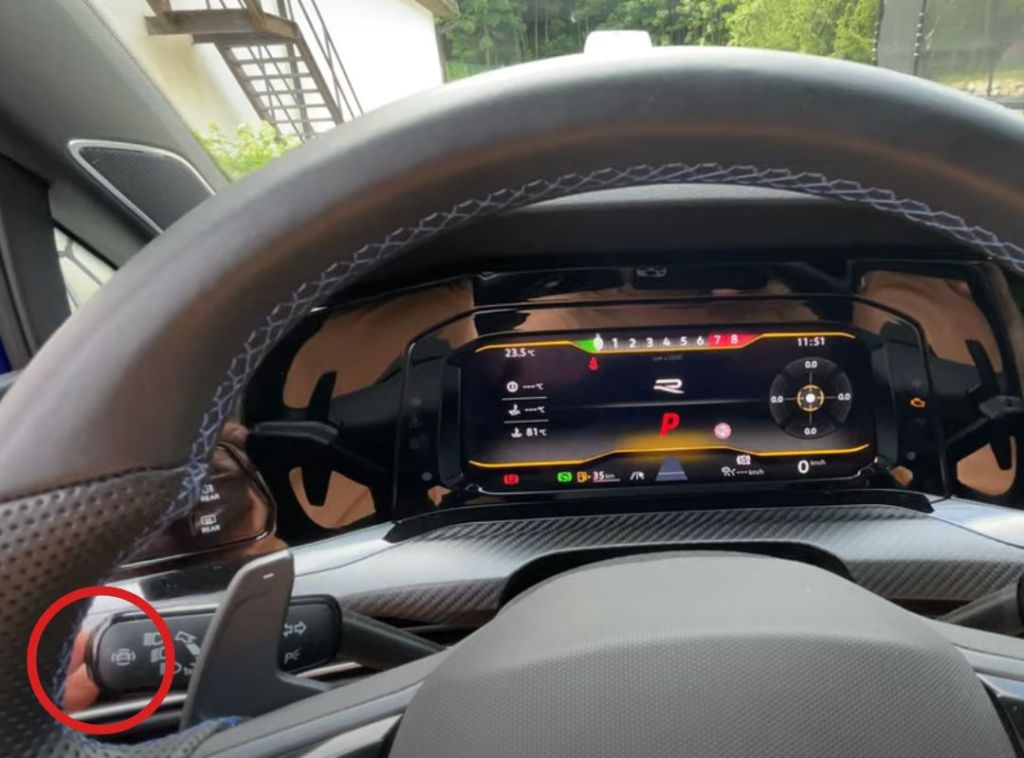
Step 2: Make sure you’re hovering over the Lane Assist option and press the blinker/indicator button again to untick this option, or by pressing ‘OK’ on your steering wheel controls.

Option 2
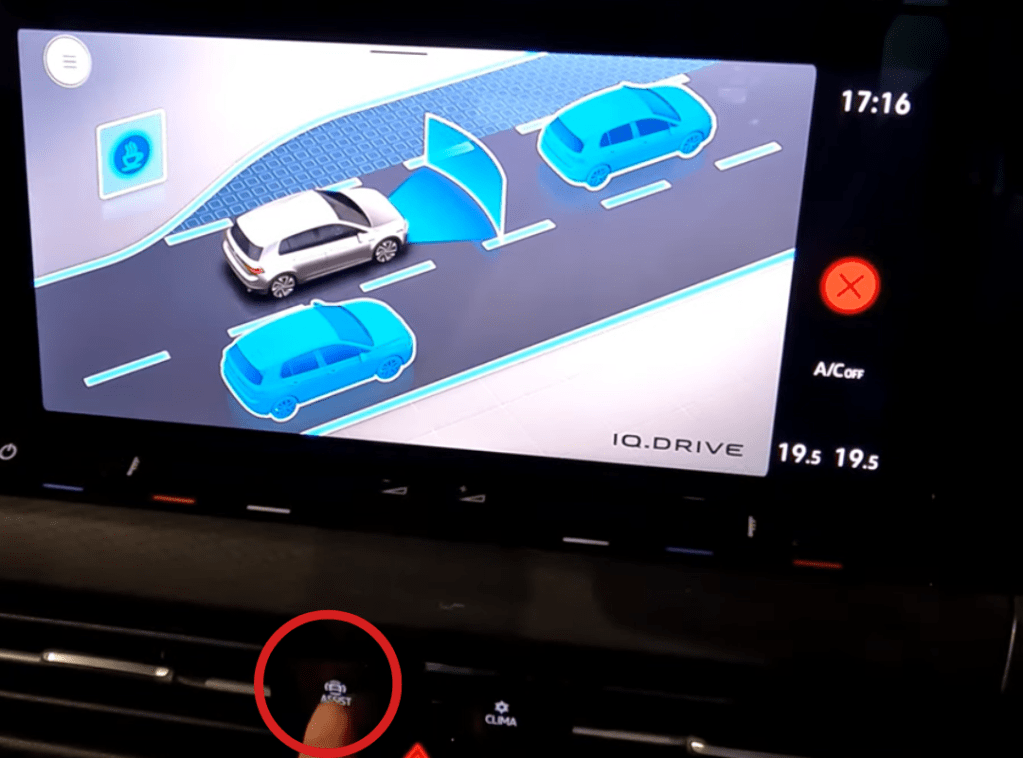
Step 1: On the centre console select the ‘Assist’ button next to the hazard light button.
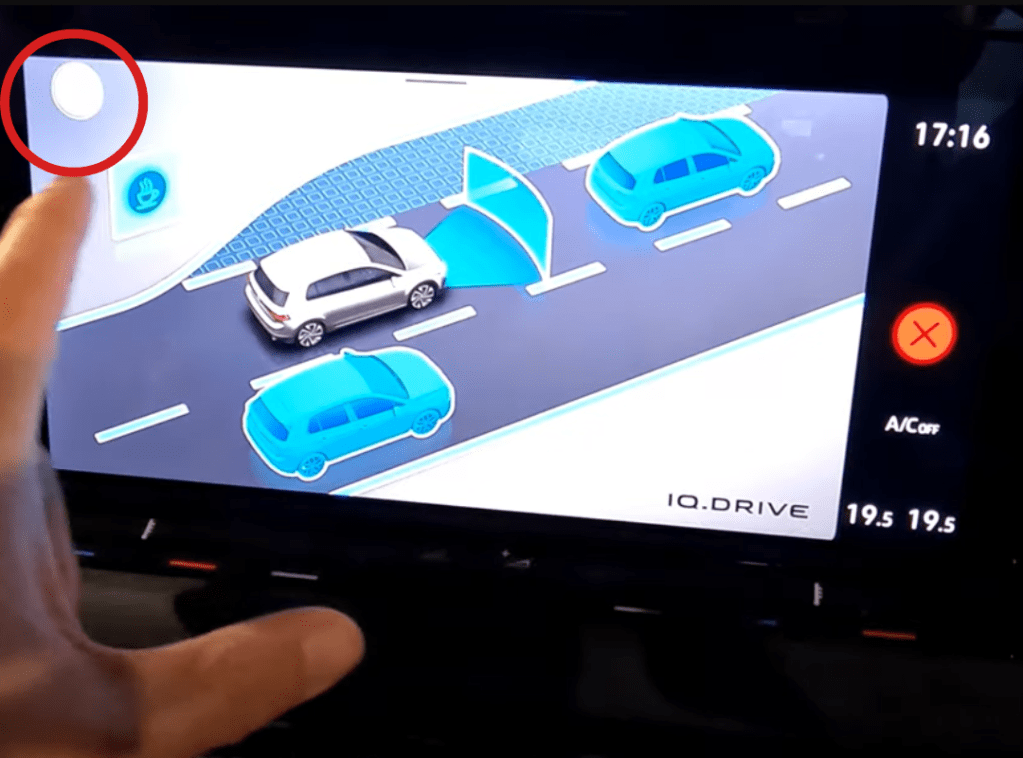
Step 2: Select the menu button on the top left hand corner of the screen.
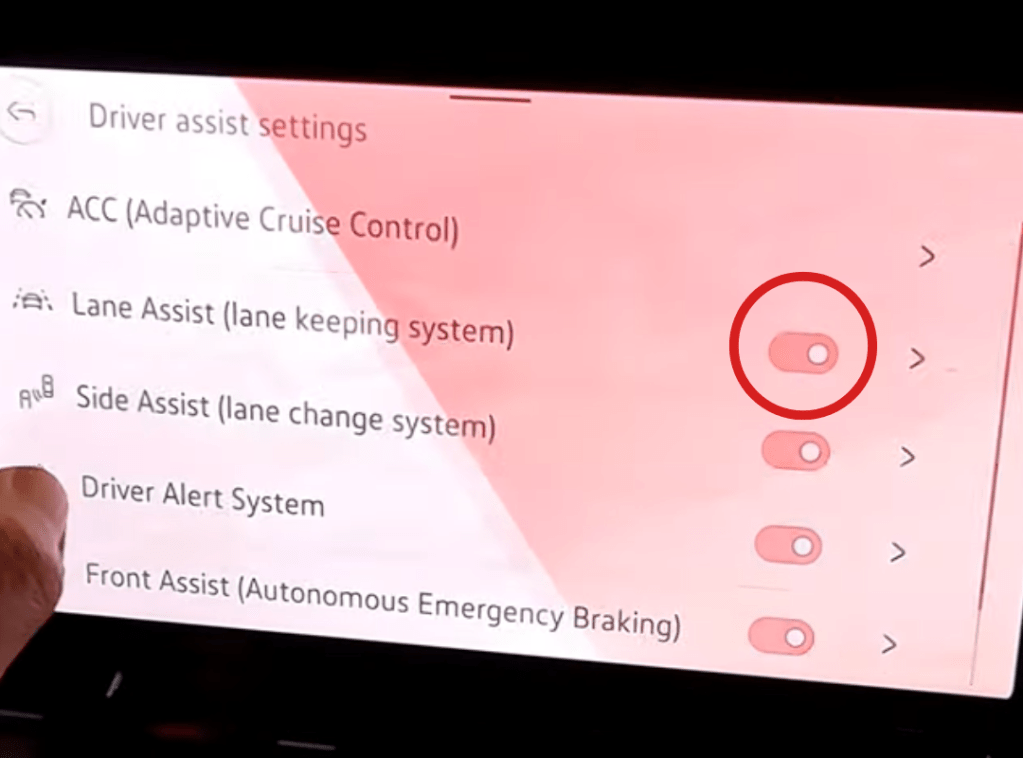
Step 3: Scroll down to lane assist and select the slider next to this option to deactivate this feature.


 Automotive Roar
Leave a comment