
Follow the simple steps below to store your tyre pressures through your Audi Q3’s MMI system. Please ensure your tyre pressures are at the correct PSI before storing your pressures.
Step 1: Select the ‘menu‘ button and navigate to ‘Car‘.
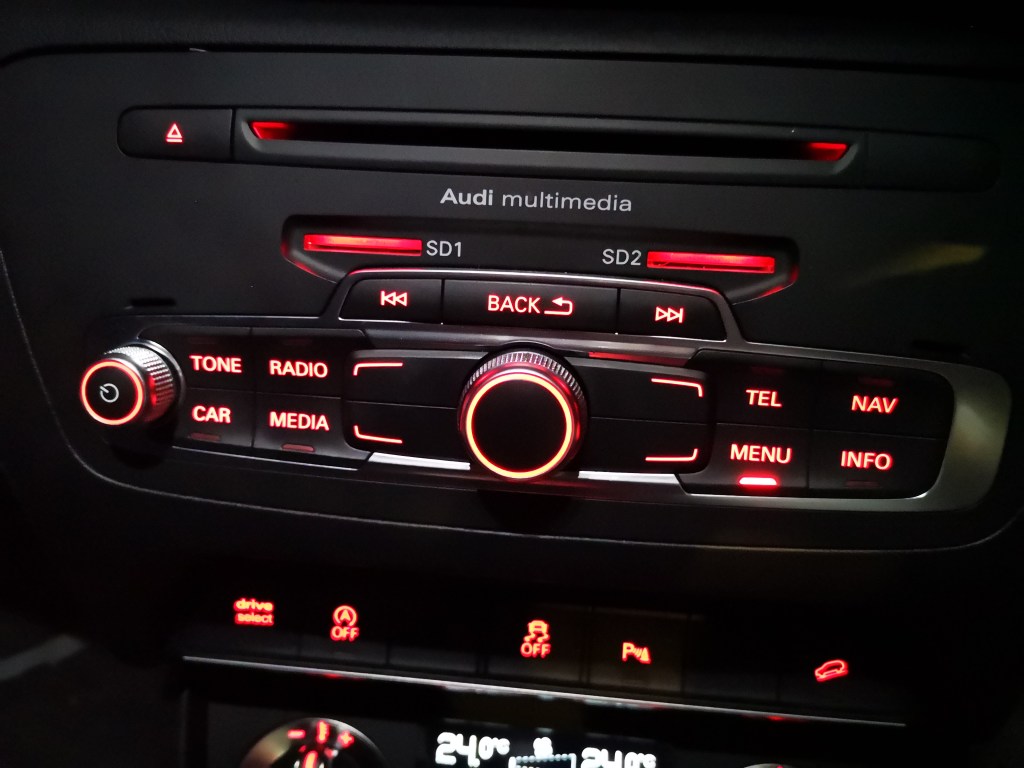

Step 2: Go to ‘Car Systems‘ by selecting the bottom-left button next to the scroll.


Step 3: Select ‘Servicing & Checks‘.

Step 4: Select ‘Tyre Pressure Monitoring‘.
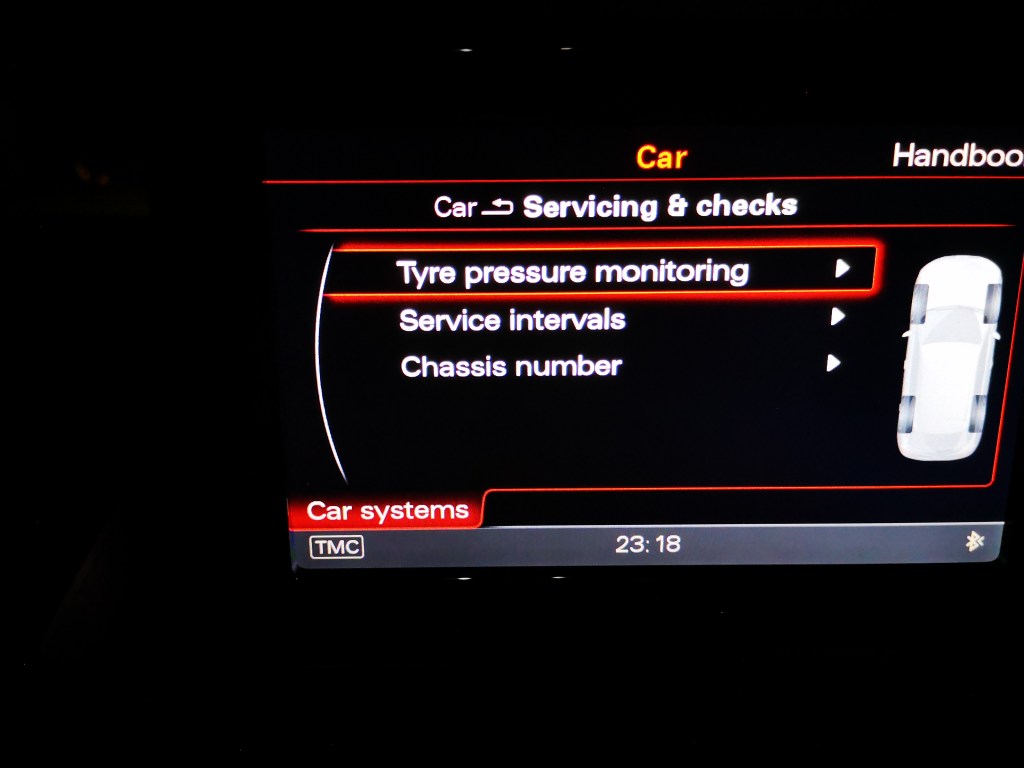
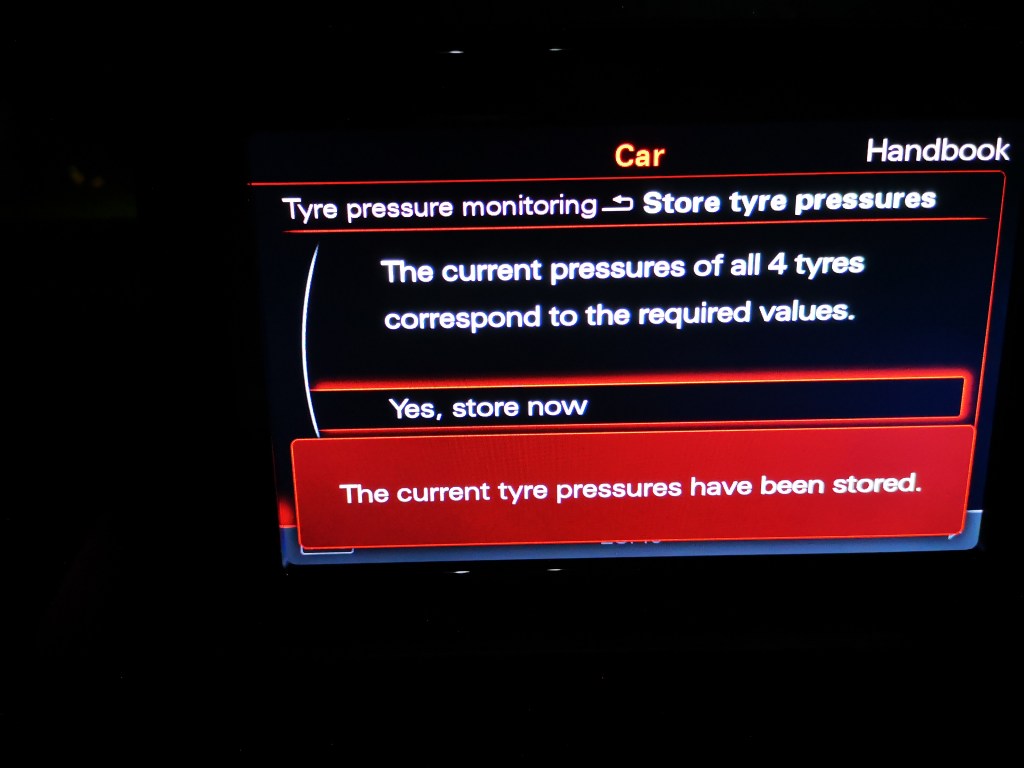
Step 5: Select ‘Store Tyres Pressure‘ and then ‘Yes, Store Now‘.


Step 6: You will then have a pop up telling you that ‘The current tyre pressures have been stored‘.


 Automotive Roar
Leave a comment